One of the small things that makes a big difference when you first start ShixxNOTE is what your sticky notes actually look like out of the box. The program now ships with a refreshed set of default note themes, ready from the moment you install it, with nothing to configure.
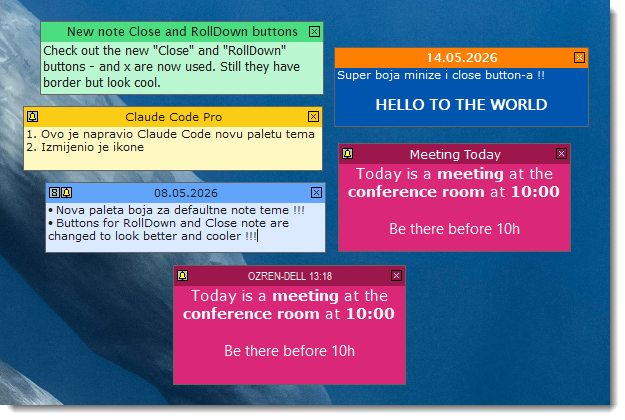
These built-in themes cover a range of colors, so your notes do not all look the same. Whether you prefer something warm, cool, neutral or bold, there is a ready-made theme to match your work. Each variant is tuned as a whole: background, text and border belong to one palette instead of being a random assortment of tints.
What is new
- Several default color themes included on a fresh installation.
- All colors updated to one consistent, modern palette.
- No need to set up a theme by hand before your desktop looks the way you want.
The earlier defaults had started to feel dated. The new ones match the direction the program has been moving in: cleaner, more deliberate, and easier on the eyes during a long working day.
Themes stay fully customizable, as always. You can still change the background, font, border and transparency of any note, and save your own theme for later. These defaults are simply a better starting point.
If you have not updated yet, get the latest build from the Downloads page.
Best regards,
Ozren Širola
ShixxNOTE program author


No comments:
Post a Comment